 Driver Pad
Test the app built for HGV drivers
Driver Pad is a driving diary, tachograph card reader and drivers’ hours helper. Help us launch it: join the tester list and tell us what you think.
Android · early access · no ads
Early access
Become a Driver Pad tester
Driver Pad is in closed testing on Google Play. Join the tester list and help shape the app before it launches for every driver.
Join the tester list
Enter the Google account email you use on your Android phone. We’ll add you to the tester list, then send a welcome email with your download links, usually within a day.
Check your inbox & opt in
Once we’ve added you, open the tester link in your welcome email on your phone, signed in with the same Google account, and tap Become a tester. Check your spam folder if you don’t see our reply.
Install
Use the download link in your welcome email to install Driver Pad from Google Play. It can take a few minutes to appear after you opt in.
Drive & tell us
Use it on your shifts for 14 days and email any problems or ideas. Please keep the app installed until the test ends.
Send feedback
What you get
- Early access to Driver Pad
- A say in what we build next
- A direct line to the developer
What you need
- An Android phone and a Google account
- A few minutes a day for 14 days
- Optional: a USB card reader for tachograph reading
Why we need you
“Google Play lets a new app go public only after real people have tested it. Every driver who joins gets Driver Pad one step closer to launch.”SerP Dev · developer of Driver Pad
Features
Why drivers like Driver Pad
Built with drivers, for drivers. Big buttons, clear numbers and no paperwork at the end of the week.
Driving diary
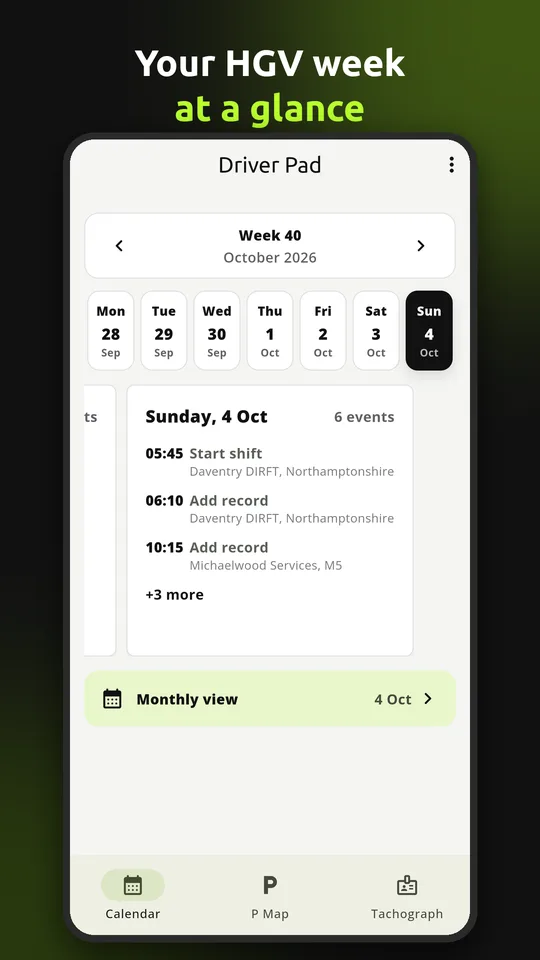
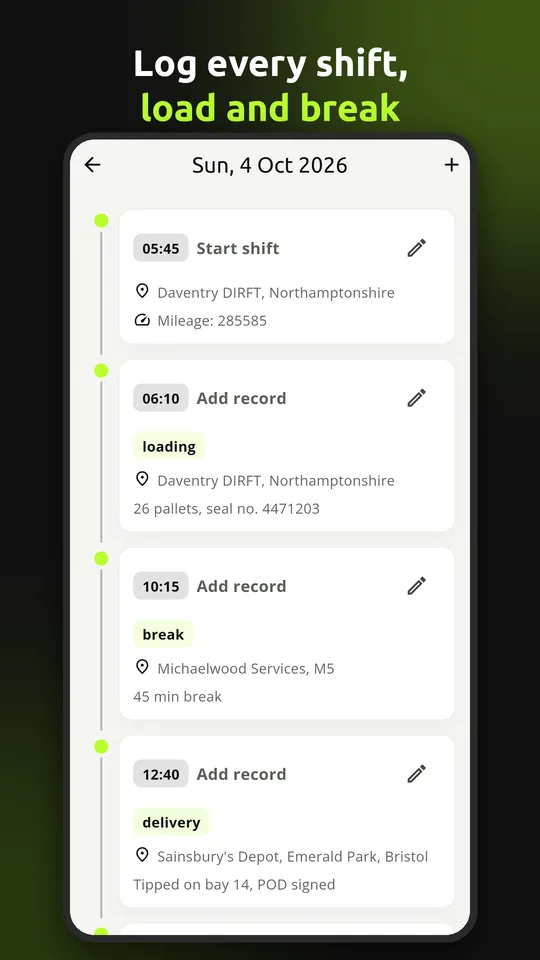
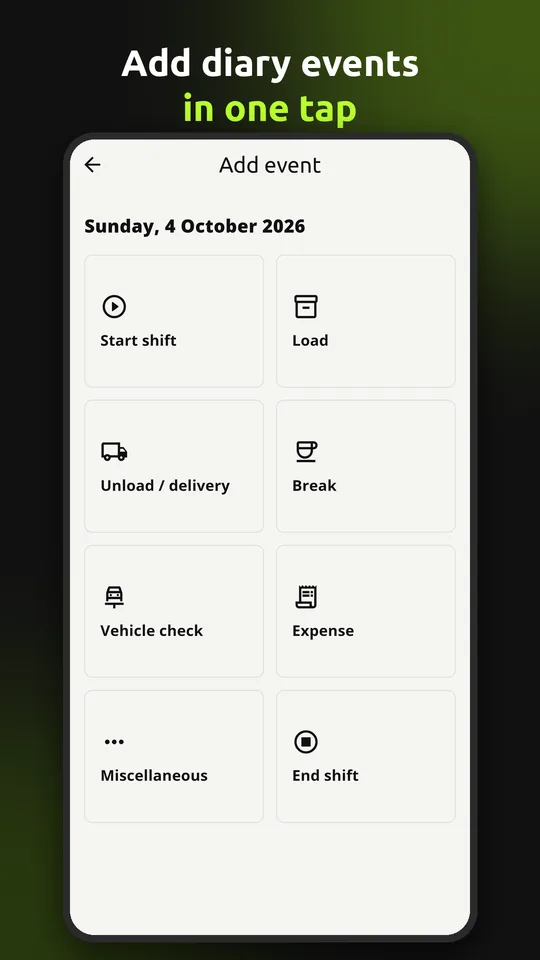
Start and finish shifts, log loads, deliveries, breaks and notes with time, address, mileage and vehicle registration in a couple of taps.
Tachograph card reader
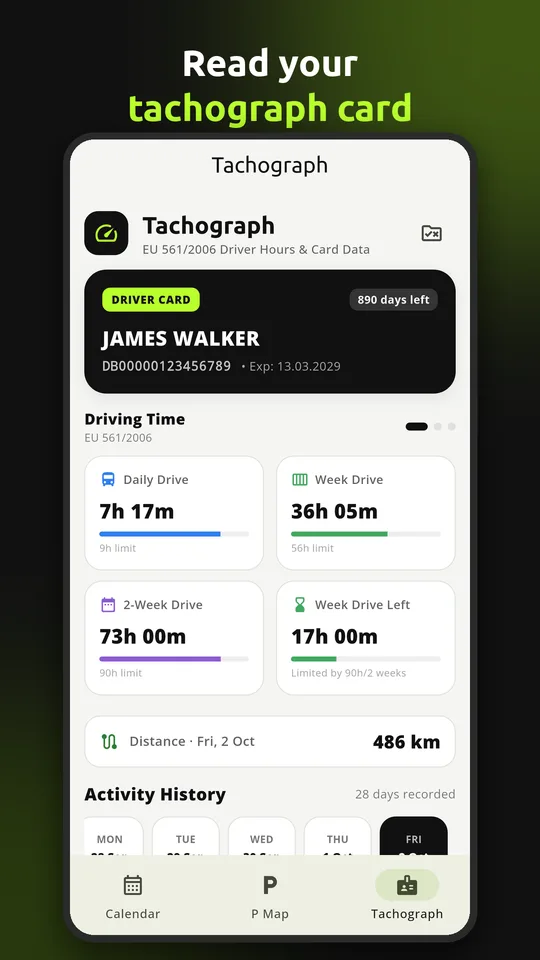
Read your driver card with a USB smart-card reader, or import a card file. See your driving, work, availability and rest at a glance.
Drivers’ hours gauges
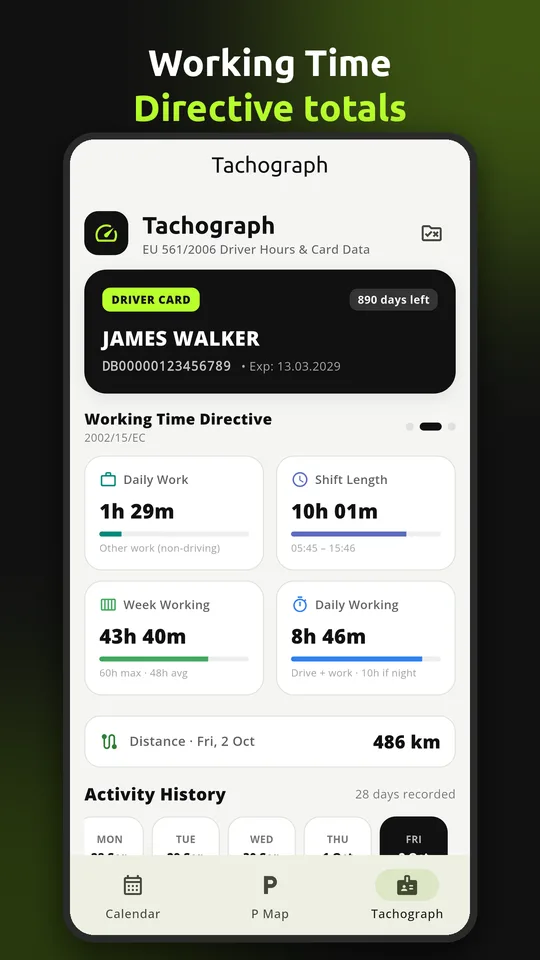
Daily, weekly and fortnightly driving, hours left this week, shift length and working time – all worked out from your card.
Activity history
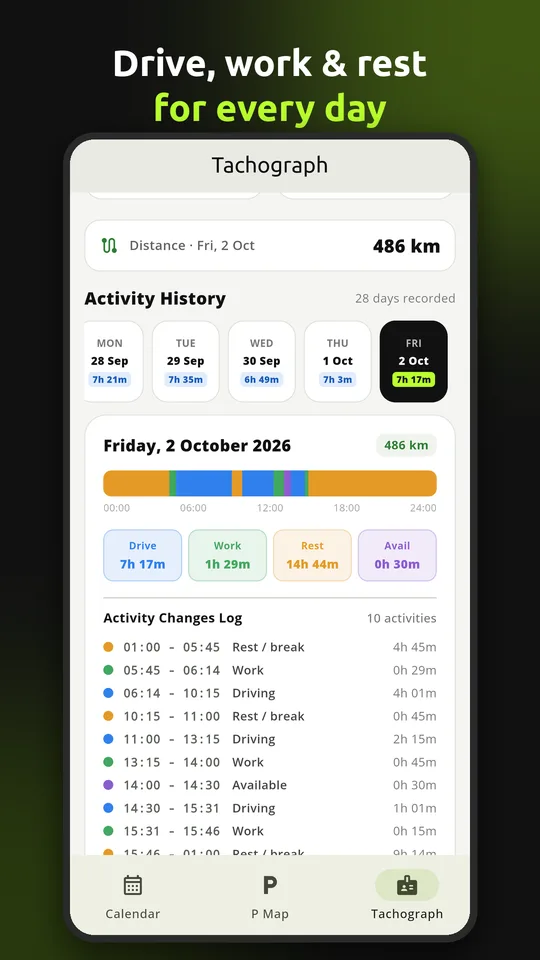
Day-by-day timeline of your card activity, rest periods, distances and vehicles, so you can check any shift in seconds.
Expenses
Record parking, fuel, food and other expenses with amounts and receipt photos, then total them up by day or month.
HGV parking map
Find lorry parking near you, with facilities and prices, and add places you know to help other drivers.
Rules made simple
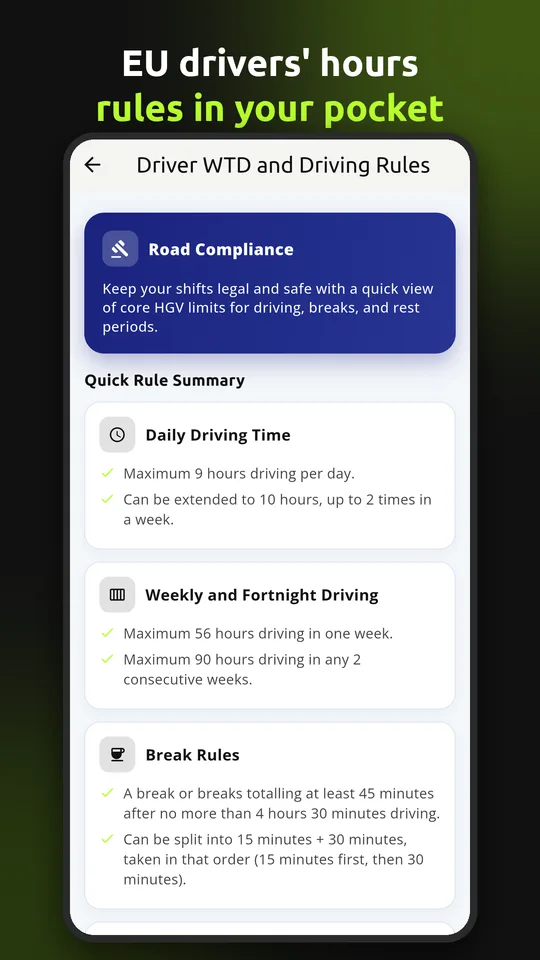
Clear summaries of UK/EU drivers’ hours, breaks, daily and weekly rest and the Working Time Directive.
Private & secure
Your records are private to your account. Sign in with email or Google and unlock with your fingerprint.
Web account
Sign in on any computer to view your diary, expenses and tachograph data on a big screen.
Screenshots
See it in action
Swipe through the main screens. Tap a screenshot to enlarge it.
How it works
Up and running in minutes
No training needed – if you can use a phone, you can use Driver Pad.
Sign in
Join the test, install Driver Pad and sign in with email or Google.
Start your shift
Time and address are filled in – add the vehicle and mileage.
Log as you go
Loads, deliveries, breaks and expenses, then finish the shift.
Read your card
Plug in a card reader to see your hours, rest and time left.
FAQ
Questions drivers ask
Who can be a tester?
Anyone with an Android phone and a Google account. HGV and LGV drivers are most welcome, but friends and family who just try the diary help too.
How do I join the tester list?
Enter your Google Play email address in the signup form and press Add me to the list. We’ll receive your request and email your welcome message and download links after adding you.
What do I need to do as a tester?
Install the app, use it a few times over 14 days – log a shift, add an expense, read your card if you have a reader – and tell us what works and what doesn’t. Please stay opted in and keep the app installed for the full 14 days.
Why can’t I find Driver Pad on Google Play?
During testing the app is only visible to invited testers. Submit your Google Play email using the signup form first, then wait for your welcome email and open its tester link while signed in with that account.
Who is Driver Pad for?
Professional HGV and LGV drivers in the UK and Europe who want an easy diary of their shifts, expenses and tachograph activity.
What do I need to read my driver card?
An Android phone and a USB smart-card reader connected with an OTG cable or adapter. You can also import a card file you downloaded elsewhere.
Does Driver Pad replace my tachograph?
No. Driver Pad is a personal record-keeping aid. Your official tachograph records and your company’s procedures always take priority.
Can I use Driver Pad on a computer?
Yes. Sign in to My account on this website with the same email or Google account to view your diary, expenses and tachograph data.
How do I cancel my subscription?
If you subscribed in the Android app, cancel in Google Play → Payments & subscriptions. If you subscribed on the web, cancel in My account → Subscription. You keep access until the end of the paid period.
Are my photos uploaded?
No. Receipt and parking photos are kept in a “DriverPad” album on your own phone and are never uploaded.
How do I delete my account?
In the app go to Settings → Account → Delete account, or sign in to My account on this website. See Delete account for details.
Help us get Driver Pad on the road
Join the test today – it takes two minutes. Questions or ideas? Email admin@driverpad.app.
Become a tester